Artificial intelligence (AI) is changing how businesses operate by making everyday tasks faster, easier, and more efficient. From managing emails to analyzing data, AI tools help businesses reduce repetitive work, save time, and focus on growth.
Whether you run a startup, manage a small business, or work as a freelancer, AI automation can help you improve productivity without significantly increasing operational costs.
The best part? You don’t need to be a technical expert to get started. Many AI tools offer simple interfaces and integrations that make automation accessible to almost anyone.
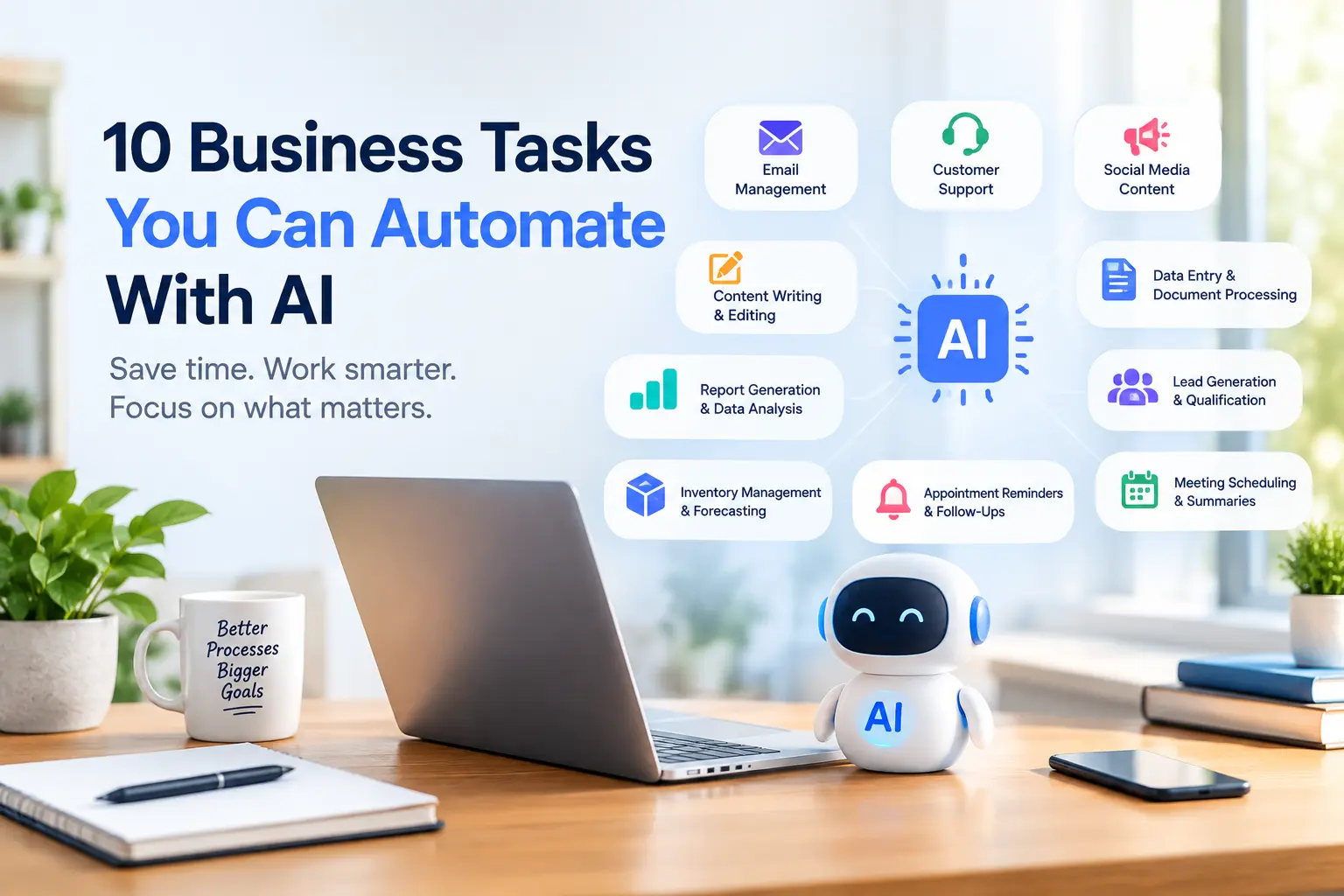
Here are 10 business tasks you can automate with AI today.
1. Email Management and Responses
Managing emails can consume hours of your workday. AI-powered email assistants can summarize long conversations, categorize incoming messages, suggest replies, and help prioritize important communications.
For example, a sales team can use AI to draft responses to common customer inquiries, while managers can summarize lengthy email threads before meetings.
Benefit: Spend less time on routine correspondence and more time on important decisions.
2. Customer Support
Customer support is another area where AI automation can make a significant difference. AI chatbots can answer frequently asked questions, provide product information, and guide customers through common issues around the clock.
For instance, an online store can use a chatbot to explain shipping policies, help customers find products, and provide order information when connected to the appropriate systems.
More complex issues can be transferred to human support agents.
Benefit: Faster responses, more consistent support, and reduced pressure on customer service teams.
3. Social Media Content Creation
Maintaining a consistent social media presence requires regular planning, writing, and publishing. AI tools can help generate post ideas, draft captions, suggest hashtags, and repurpose existing content for different platforms.
A single blog post, for example, can become several LinkedIn posts, short social media updates, or discussion prompts.
You can also use scheduling tools to plan posts in advance.
Benefit: Maintain a consistent online presence while reducing the time spent creating content.
4. Data Entry and Document Processing
Manual data entry is repetitive and can lead to costly errors. AI-powered document processing tools can extract information from invoices, receipts, forms, and contracts, then transfer relevant details into business systems.
For example, an accounting team can automate invoice data extraction instead of manually entering every field.
Sensitive financial or legal information should still be reviewed, especially when accuracy is essential.
Benefit: Reduce repetitive administrative work and improve data-processing efficiency.
5. Lead Generation and Qualification
Finding potential customers is important, but identifying which leads deserve attention can be time-consuming.
AI tools can help score leads using relevant information, summarize prospect profiles, categorize incoming inquiries, and identify prospects that match predefined criteria.
For example, a software company can prioritize prospects based on company size, stated needs, and engagement with its website.
AI should support lead qualification using appropriate, reliable data rather than making unsupported assumptions.
Benefit: Help sales teams focus their efforts on promising opportunities.

6. Meeting Scheduling and Summaries
Scheduling meetings, taking notes, and tracking action items can interrupt productive work.
AI meeting assistants can transcribe conversations, generate summaries, identify decisions, and organize follow-up tasks. Scheduling tools can also help coordinate availability and send reminders.
After a team meeting, an AI assistant might produce a summary containing key decisions, assigned responsibilities, and deadlines.
Benefit: Reduce administrative overhead and make follow-ups easier to manage.
7. Content Writing and Editing
Businesses regularly create blog posts, newsletters, product descriptions, proposals, and website copy. AI writing assistants can help draft content, improve grammar, suggest headlines, and adapt messaging for different audiences.
For example, an e-commerce business can use AI to prepare initial product descriptions based on accurate product specifications.
However, AI-generated content should be reviewed for factual accuracy, originality, brand voice, and usefulness before publication.
Benefit: Accelerate content production without sacrificing editorial oversight.
8. Inventory Management and Demand Forecasting
Businesses that sell physical products need to balance inventory with customer demand. AI-powered analytics can examine historical sales, seasonal patterns, and other relevant data to help forecast demand.
A retailer might use these insights to identify products that need restocking or items that are moving more slowly than expected.
Forecasts are estimates, not guarantees, so managers should consider supplier delays and unexpected market changes.
Benefit: Make more informed inventory decisions and reduce avoidable stock shortages or excess inventory.
9. Report Generation and Data Analysis
Preparing weekly or monthly business reports often involves collecting data from multiple sources, calculating metrics, and explaining trends.
AI analytics tools can help summarize performance data, identify unusual changes, and generate initial reports.
For example, a marketing team can analyze campaign performance to understand which channels generate the most leads and where spending may need adjustment.
Always verify calculations and conclusions against the original data.
Benefit: Turn business data into actionable insights with less manual effort.
10. Appointment Reminders and Follow-Ups
Missed appointments and forgotten follow-ups can affect revenue and customer satisfaction.
Automation tools can send appointment confirmations, reminders, post-meeting messages, and follow-up emails based on predefined triggers.
A consulting business, for example, can automatically remind clients about upcoming sessions and send a follow-up message with relevant resources afterward.
Make sure automated messages respect customer preferences and applicable privacy requirements.
Benefit: Improve communication consistency and reduce missed opportunities.
How to Get Started With AI Automation
You don’t need to automate every process at once. Start with tasks that are repetitive, time-consuming, and relatively easy to evaluate.
Follow these steps:
- Identify a bottleneck: Find a task that regularly consumes time without requiring much human judgment.
- Choose the right tool: Look for AI software that supports your workflow, budget, and existing integrations.
- Test a small workflow: Automate one task before expanding to more complex processes.
- Review the results: Measure time saved, error rates, cost, and customer experience.
- Keep human oversight: Require approval for sensitive decisions, important communications, and high-impact actions.
Also consider data security, access permissions, and the cost of maintaining each automation.
Final Thoughts
AI automation is no longer limited to large enterprises. Businesses of all sizes can use it to streamline everyday operations, improve productivity, and free employees to focus on higher-value work.
From customer support and email management to reporting and lead qualification, the opportunities are practical and accessible.
The key is to start small, measure the results, and expand what works. By choosing the right tasks and combining AI capabilities with human judgment, your business can build more efficient workflows and create room for sustainable growth.